Link to a screen in the app
A link that starts with touchpoint:// opens a screen in the app. You can use these links in the text of info items, pages, announcements, and scheduled messages, and in related links.
-
Select the text, and click Link.
-
In the protocol list, select
touchpoint://.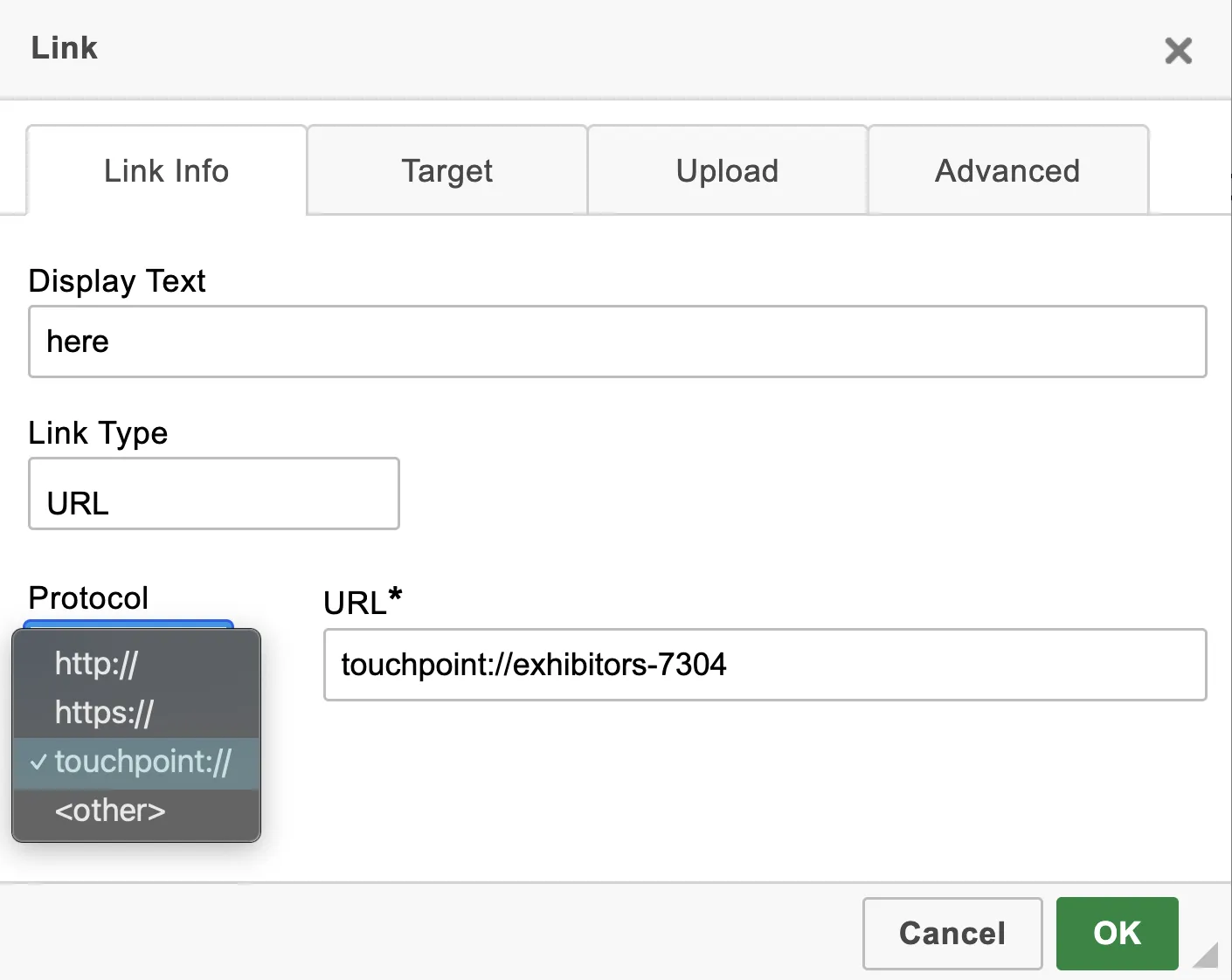
-
Type the screen part of the link, as in the examples below. The number of an item is in the address of the item in the CMS.
-
Click OK.
Examples:
-
A feature:
touchpoint://surveys -
An item:
touchpoint://surveys/1395 -
A feature that your event has more than one time, for example Info:
touchpoint://infos-7307. The number is the feature ID. Open the list in the CMS. The feature ID is the number at the end of the address in your browser.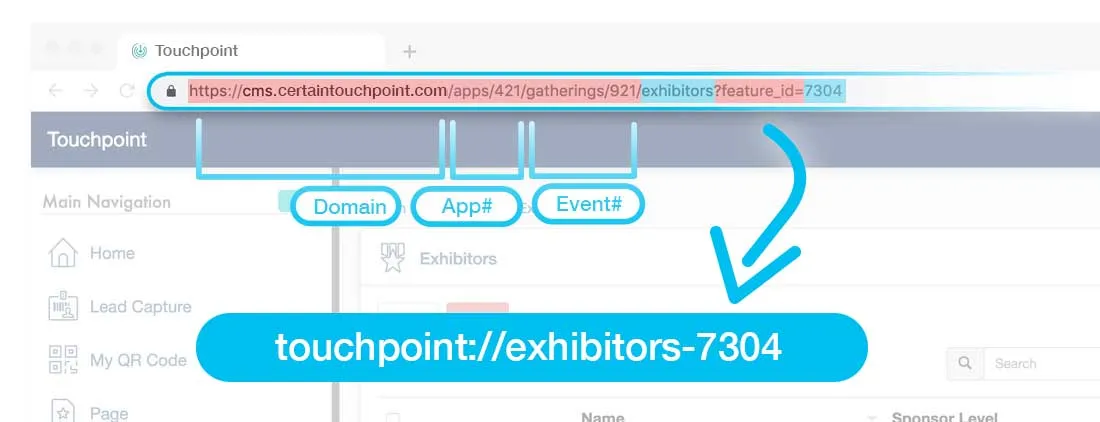
-
An item of that feature:
touchpoint://infos-7307/13901
When you save, the CMS adds your app and your event to the link. For an item of an exhibitor, info, links, announcements, or videos feature, the CMS also adds the feature ID. For a page, always type the feature ID, for example touchpoint://pages-124284.
This article is a copy of Info in the Touchpoint documentation.
Comments
0 comments
Please sign in to leave a comment.